SMS Consent and Opt-In Process — Kaffeeklatsch™
Kaffeeklatsch is a friendship app for women 50 and older, launching in Dallas, Texas. The app is currently in pre-launch and is not yet available in the app store. This page provides evidence of our SMS opt-in and opt-out process for A2P 10DLC campaign vetting purposes.
---
PHONE NUMBER VERIFICATION
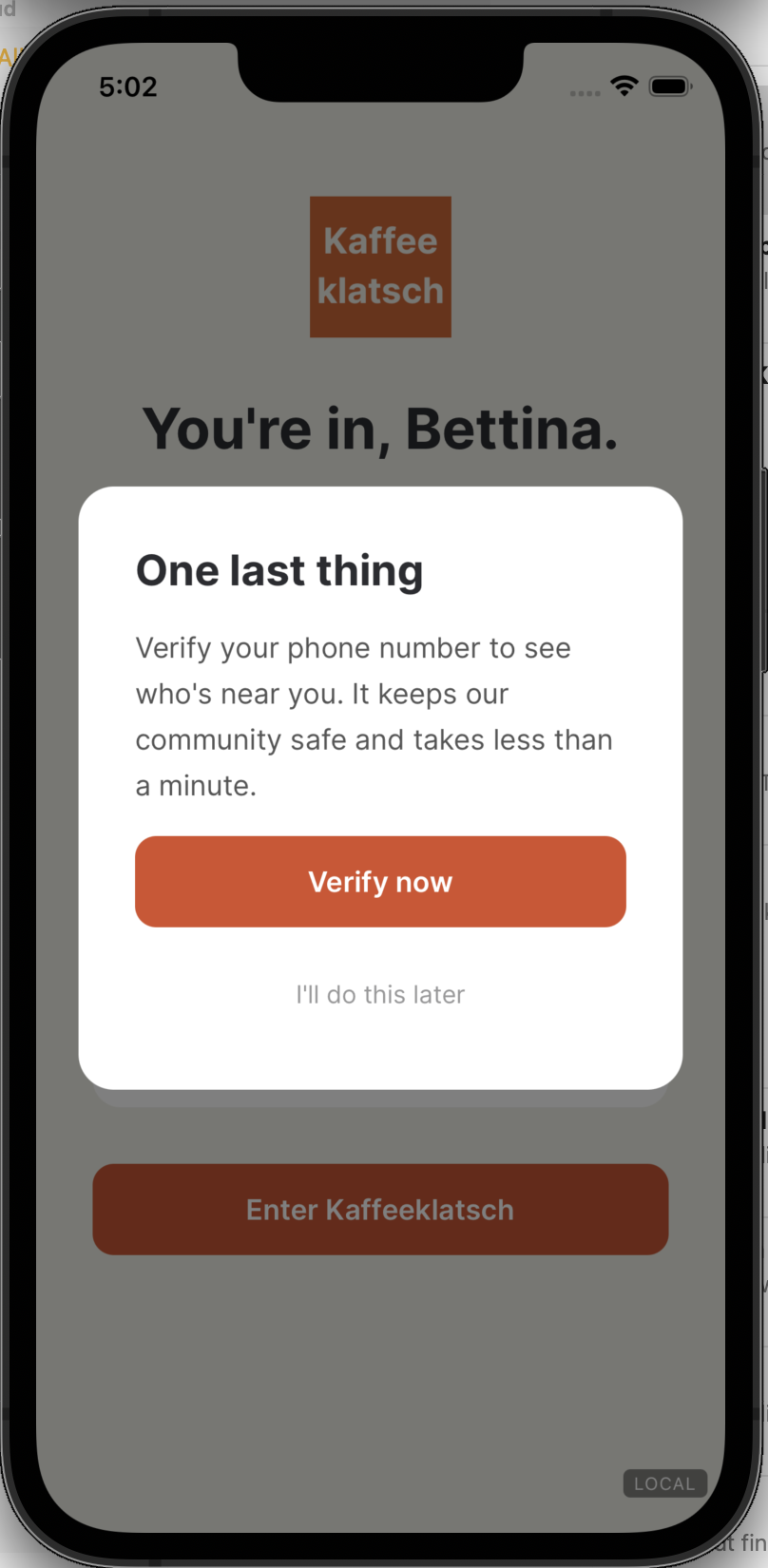
When a user creates an account, a prompt appears that reads: "Verify your phone number to see who's near you. It keeps our community safe and takes less than a minute." This is a one-time safety step. A single verification code is sent. No ongoing SMS opt-in is required for this step. If the user taps "I'll do this later," she will be required to complete verification before she can access suggestions or chat with anyone.
(See screenshot 1 below)
SMS NOTIFICATIONS
Users may optionally choose to receive SMS notifications.
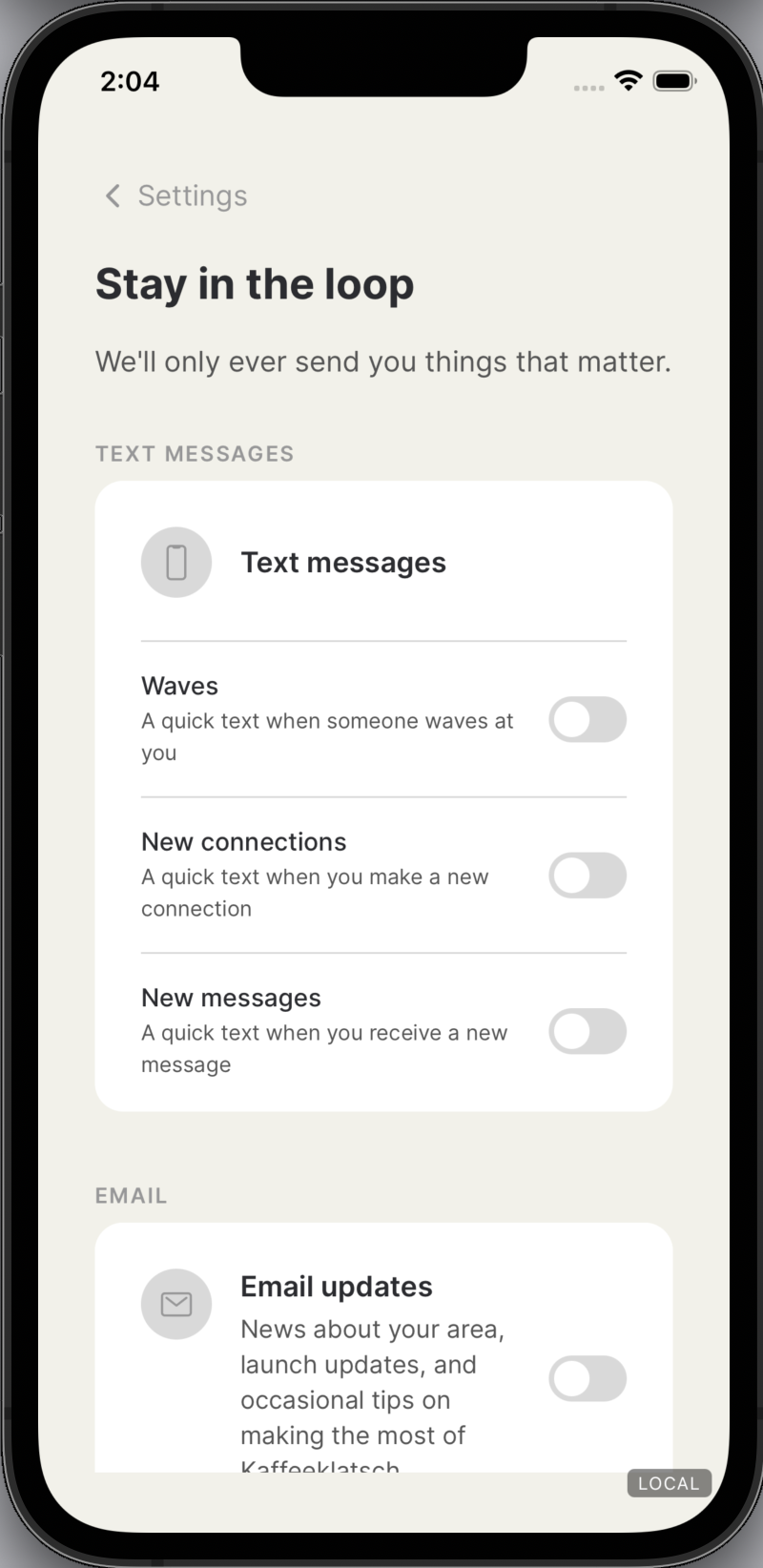
The screen heading reads: "Stay in the loop."
The screen body reads: "We'll only ever send you things that matter."
Users can choose from three notification types, each with its own toggle:
Waves: "A quick text when someone waves at you"
New connections: "A quick text when you make a new connection"
New messages: "A quick text when you receive a new message"
All three toggles are OFF by default. Each must be actively enabled by the user. Enabling SMS notifications is not a condition of membership.
By enabling any SMS notification, the user consents to receive text messages from Kaffeeklatsch about their account activity.
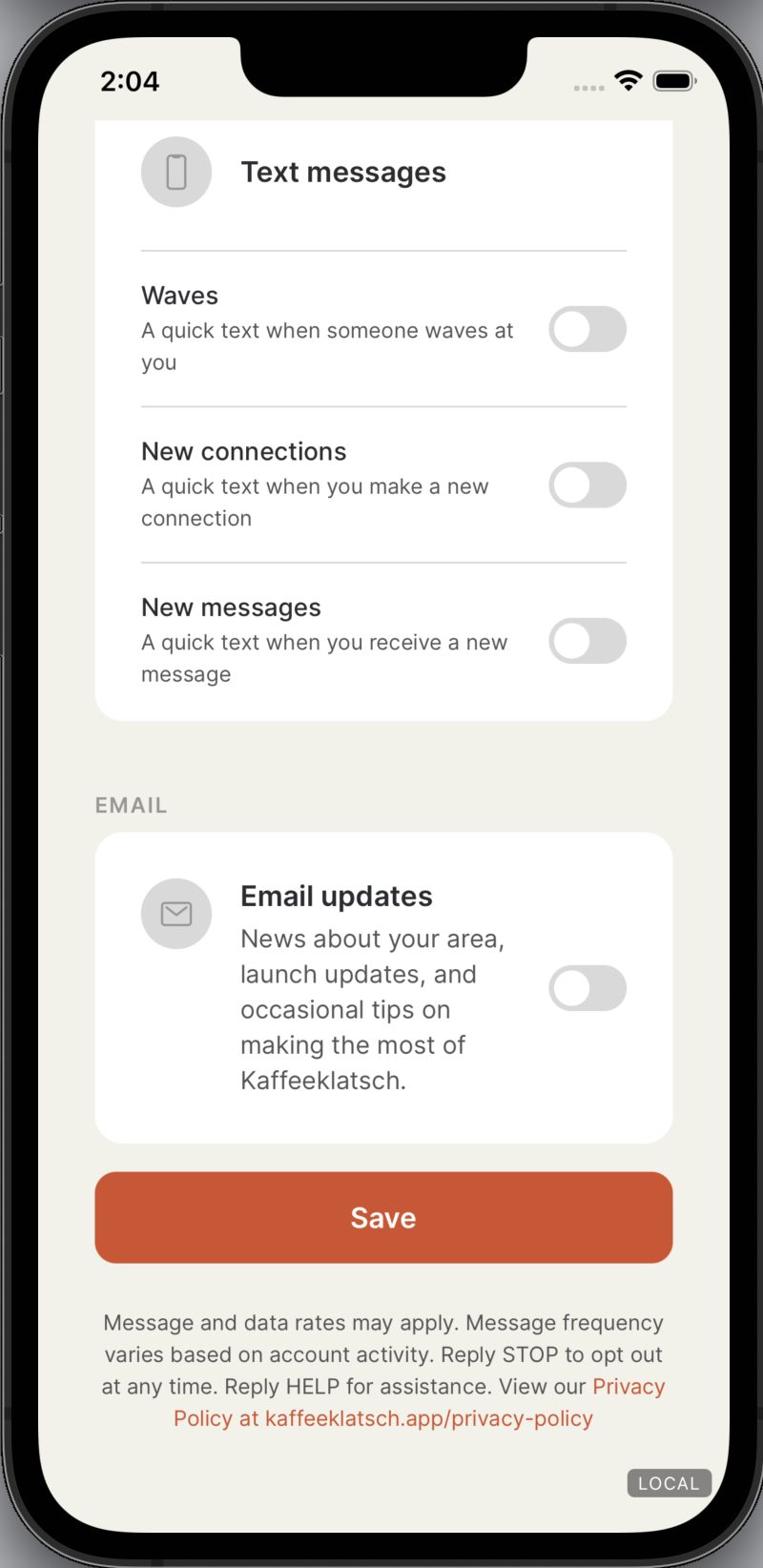
(See screenshots 2 & 3 below)
EMAIL NOTIFICATIONS
Users may optionally choose to receive email notifications.
The email toggle card reads: "News about your area, launch updates, and occasional tips on making the most of Kaffeeklatsch."
The email toggle is OFF by default. Enabling email notifications is not a condition of membership. (See previous screenshot 3)
---
COMPLIANCE DISCLOSURES
The screen footer reads: "Message and data rates may apply. Message frequency varies based on account activity. Reply STOP to opt out at any time. Reply HELP for assistance. View our Privacy Policy at kaffeeklatsch.app/privacy-policy (See previous screenshot 3.)
---
OPT-OUT
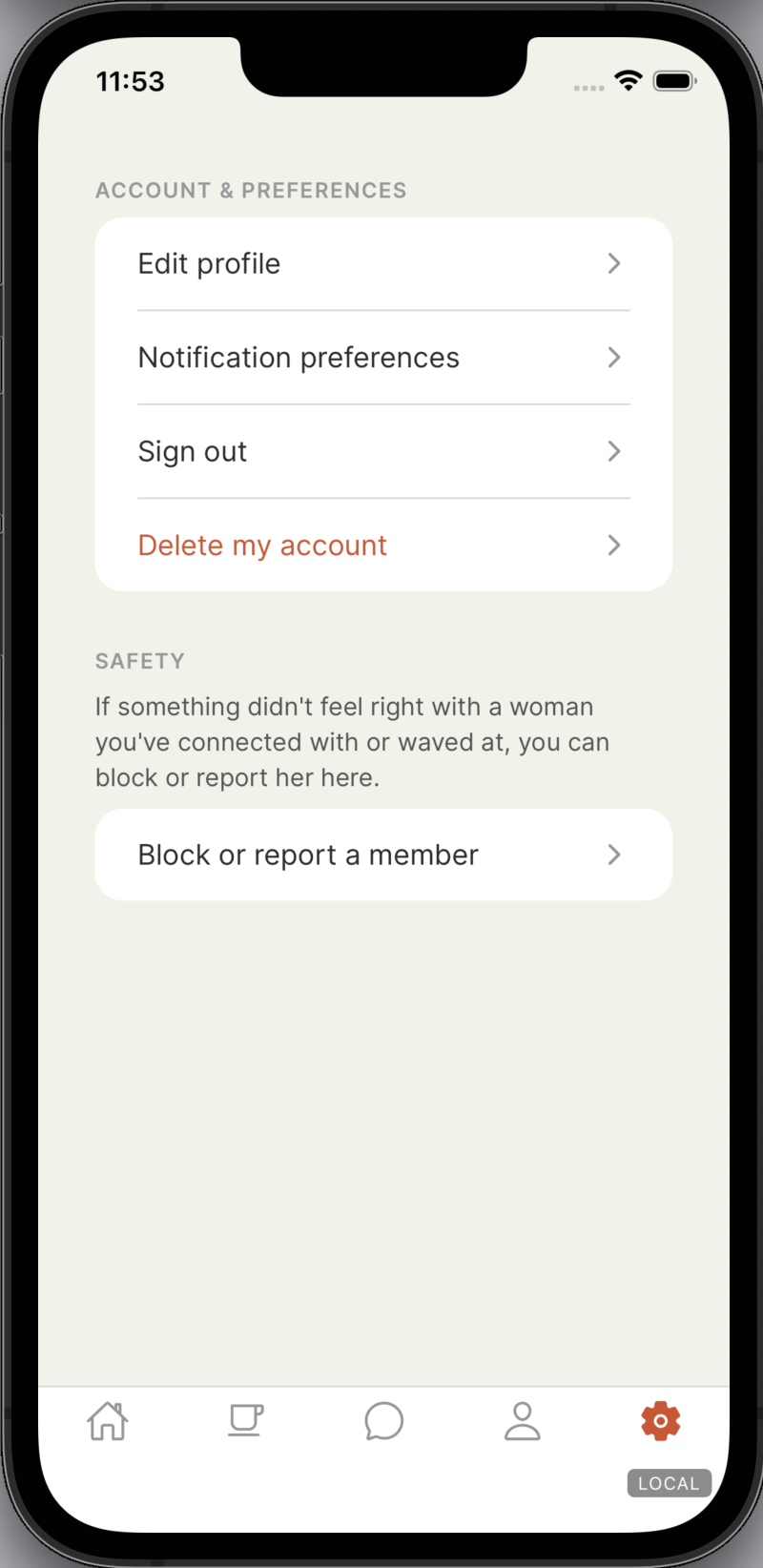
Users can turn off any or all SMS notifications at any time by returning to Settings → Notification preferences and toggling off individual notification types. Users can also reply STOP to any message to unsubscribe immediately. Twilio manages opt-out keywords by default. Upon receiving STOP, the user receives confirmation that they have been unsubscribed.
---
SETTINGS ACCESS
This preference screen is accessible at any time after account creation via Settings → Notification preferences.